See it in action
Tektite isn't just a daily journal — it's a general-purpose markdown workspace for any kind of note taking. Meeting notes, project docs, code snippets, research, recipes — if it's text, it lives here.
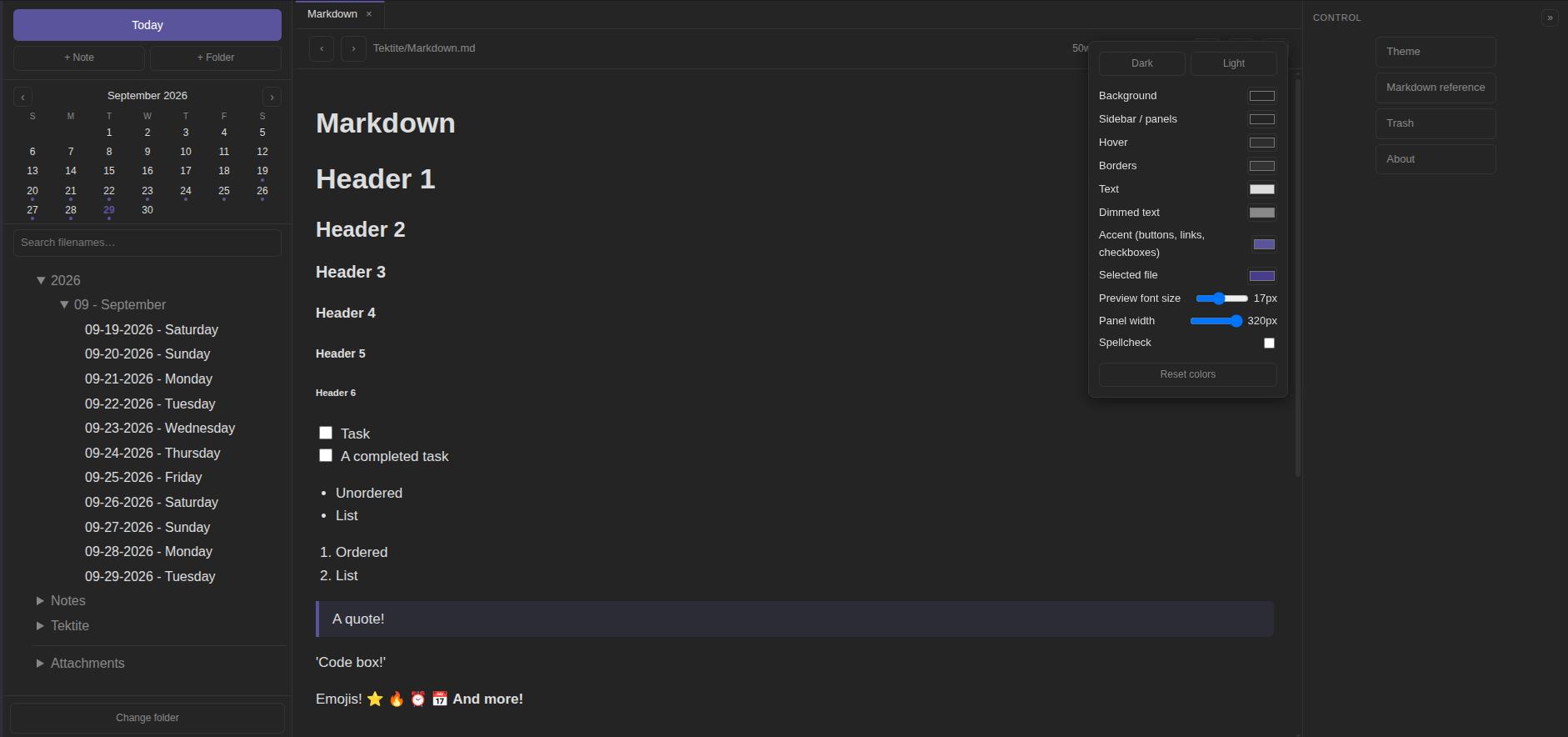
Tektite is a minimal Obsidian-style markdown notebook that runs entirely in your browser.
No install, no server, no dependencies — just one index.html and your notes!
Requires a Chromium-based browser — Chrome, Edge, Brave, Arc. < 1 MB, zero tracking.
Tektite isn't just a daily journal — it's a general-purpose markdown workspace for any kind of note taking. Meeting notes, project docs, code snippets, research, recipes — if it's text, it lives here.
Named for the natural glass formed by meteorite impacts — Obsidian's cousin. Everything you need for daily notes, nothing you don't.
The entire app is a single index.html. Double-click it, bookmark it, done. No build step, no runtime, nothing to maintain. To update, download the new index.html file, replace the existing, run it and point it at your Notes folder.
Notes are read and written straight to folders on your disk. Everything stays on your machine — no accounts, no sync service, no telemetry.
Today button, arrow navigation, and a mini calendar that dots days with notes. Unchecked tasks can be carried over manually to the next calendar day.
Truly platform independent!
There's no installer because there's nothing to install.
Download Tektite.zip and extract index.html — or grab it straight from the repository.
Double-click the file (or bookmark the path for one-click access). It opens in your browser like any other page.
Click Choose notes folder — that's your vault. Tektite opens today's note automatically. Start writing.
A Chromium-based browser is required — Chrome, Edge, Brave, Arc, etc. Tektite writes files to disk from a web page using the File System Access API, which Firefox and Safari don't support.